
Privacy-focused meeting notetaker for digital creatives.
Client calls, briefings, feedback rounds: TinyScribe writes them down while you stay in the conversation. Transcribed on your Mac, summarized with Apple Intelligence, never shown to a bot or a server of ours.
 30 meetings free, no subscription.
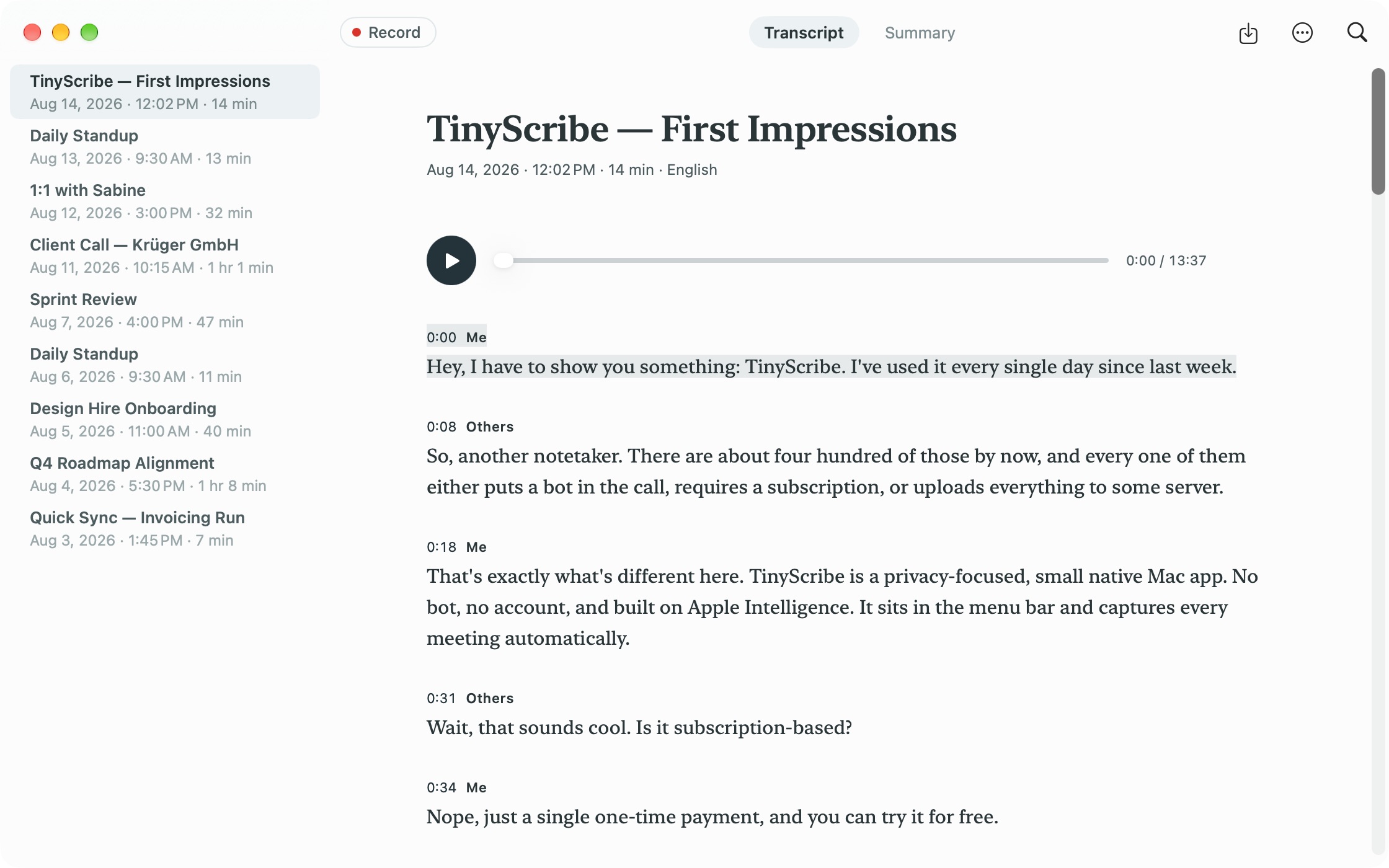
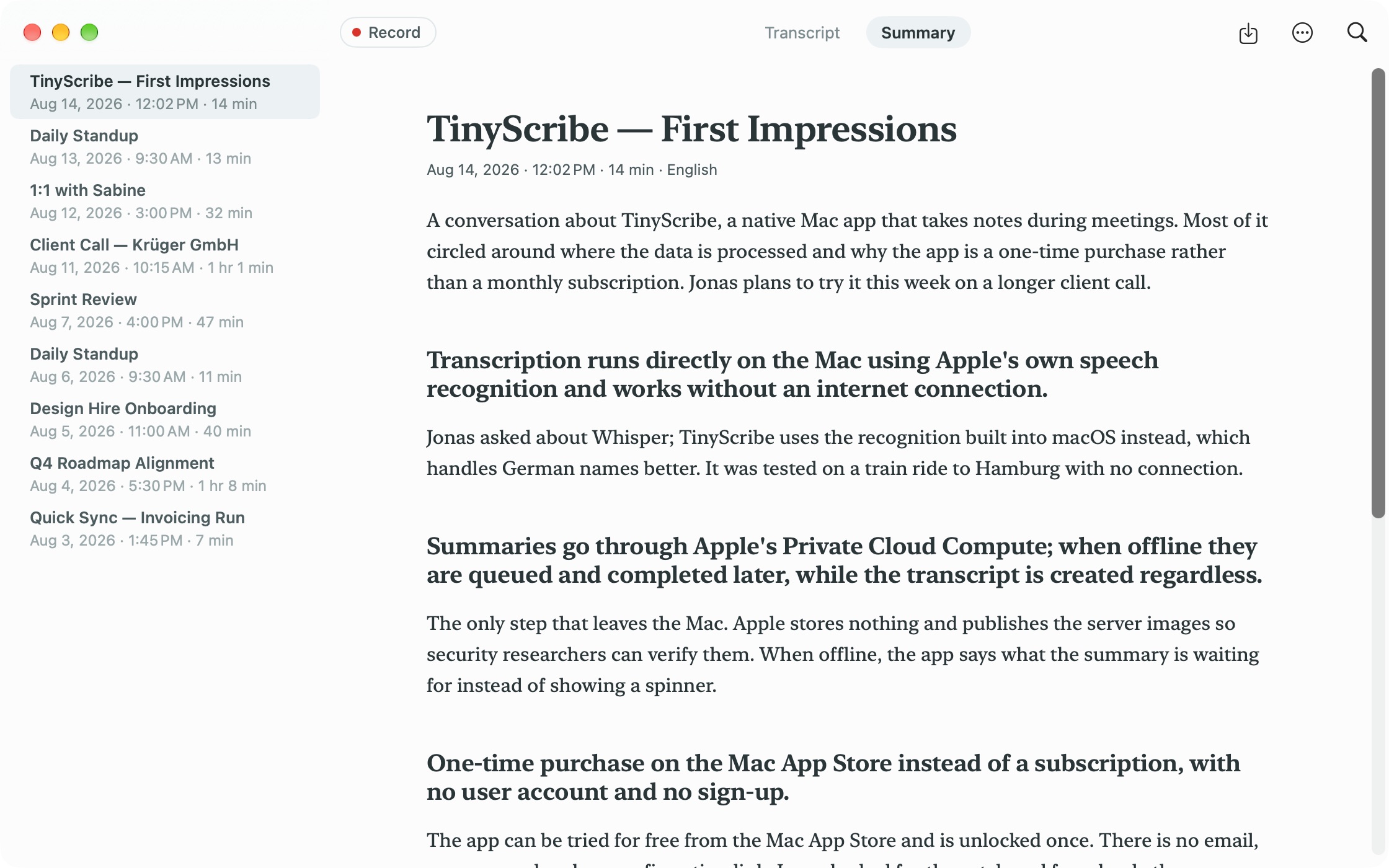
One job, done well: notes from every meeting
No cloud, no account, no tracking.
Transcription happens on your Mac. Your audio never leaves your device, and it is deleted automatically if you want it to be.
Summaries are created with Apple Intelligence's Private Cloud Compute. Apple keeps your data private, stores nothing, and does not train on it. TinyScribe talks to no external server other than your own iCloud.
Recording starts and stops automatically
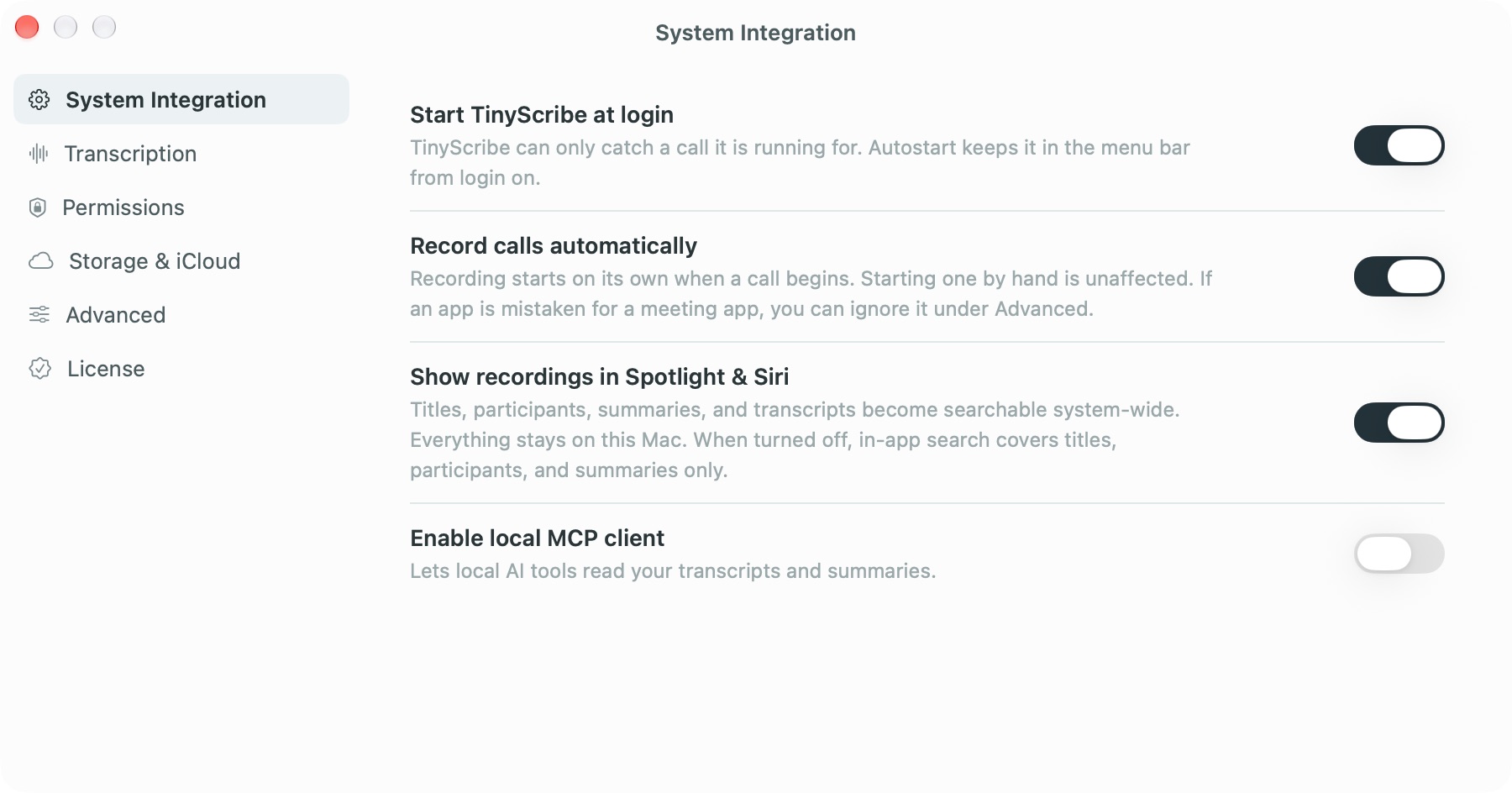
TinyScribe notices when a meeting begins, no matter which app you hold it in: Zoom, Teams, Meet, Slack, FaceTime or the browser. It starts and stops recording and transcription automatically, or manually with one click.
The icon in your menu bar carries a red dot for as long as a recording runs.
Synced with iCloud
Transcripts and summaries sync through your private iCloud, so they're available on every Mac you use. Audio stays on your Mac and takes up no iCloud storage.
That way your transcripts survive even if you lose your Mac.
Siri and Spotlight can find your meetings
TinyScribe writes into Apple Intelligence's search index. That's how you find your meetings with Spotlight and Siri, and how Siri can answer questions about your past meetings. App Intents make them available in Shortcuts.
Your meetings become context for Claude
TinyScribe ships a built-in MCP server, so Claude Desktop and Claude Code can read your transcripts and summaries directly. One click installs it for Claude Desktop; one command adds it to Claude Code.
It runs only on your Mac, is read-only, and is off until you switch it on.
No bots in your calls
TinyScribe never joins your calls, which means nobody sees that you're recording. That also makes it your job to tell them. Recording law differs from country to country, and many require everyone's consent.
The safest habit is the simplest one: say at the start of a meeting that you're recording it. This isn't legal advice.
Want even more privacy?
You can switch off iCloud sync and disable automatic summarizing through Private Cloud Compute at any time. Indexing for Spotlight and Siri can be turned off too. And automatic recording can be switched off entirely, or disabled for individual apps.
Speaks your language
The app is available in ten languages. Transcription covers 24 languages, many in several regional variants, and summaries cover 9 of them. You set one language globally and can override it per recording.
All features at a glance
Buy it once, use it forever
- Download free. Your first 30 meetings include everything: transcription and summaries.
- After 30 meetings, audio still gets recorded automatically. If you like it, unlock once to get all transcripts and summaries retroactively.
- Use TinyScribe forever and enjoy free updates.
Prices vary by country.Frequently asked
Can my colleagues tell that I'm recording?
Only if you tell them — and TinyScribe helps you do exactly that. macOS shows its own microphone indicator on your Mac, and the fennec in your menu bar carries a red dot while recording. Telling the other participants is up to you, and the rules for that differ by country and US state.
What happens if Apple Intelligence is switched off?
Transcription still works — it runs on Apple's speech framework, which is independent. Summaries won't. You get the full transcript, and the summary is queued until the model is available again.
Is it legal to record my meetings?
It depends entirely on where you and the other participants are. In twelve US states and much of Europe, everyone has to agree. That is why we treat consent as a conversation, not a setting. We are not lawyers.
Where is my audio stored?
On your Mac, in your own file system, until it is deleted according to your setting, for example after 7 or 30 days. It is never synced to iCloud, and it is never sent anywhere else.
Do you train on my meetings?
We couldn't. There is no server of ours that receives anything. Apple's Private Cloud Compute does not retain or train on the data it processes.
Why is there no subscription?
Because there are no running costs to cover. Apple pays for the inference that powers the summaries. Everything else runs on your Mac.
Why only Mac?
We want to provide the best user experience, so we focus on macOS only. An iOS companion will probably come later.
What happens after the 30 free meetings?
TinyScribe keeps recording your calls. New transcripts and summaries wait until you unlock — buy once, and everything recorded in the meantime is transcribed and summarized retroactively.
Which languages are supported?
Transcription covers 24 languages, many of them in several regional variants. Summaries cover 9 of them — English, German, Spanish, French, Italian, Japanese, Korean, Portuguese, and Chinese. In every other language you still get the full transcript, just no summary; TinyScribe tells you which is which in the language picker, before you choose.
You set one language globally and can override it per recording.
The full list of transcribable languages:
Bangla (India) · Cantonese (mainland China) · Chinese (mainland China, Hong Kong, Taiwan) · English (US, UK, Australia, Canada, India, Ireland, New Zealand, Singapore, South Africa) · French (France, Belgium, Canada, Switzerland) · German (Germany, Austria, Switzerland) · Gujarati (India) · Hindi (India) · Italian (Italy, Switzerland) · Japanese (Japan) · Kannada (India) · Kashmiri (India) · Korean (South Korea) · Maithili (India) · Malayalam (India) · Marathi (India) · Nepali (India) · Odia (India) · Portuguese (Brazil, Portugal) · Punjabi (India) · Spanish (Spain, Mexico, Chile, US) · Tamil (India) · Telugu (India) · Urdu (India)
The list comes from Apple's speech framework and grows with macOS updates — TinyScribe queries it on every launch instead of baking it in.
TinyScribe is built with love in Munich by Appdafür.
Want to know why we created yet another meeting notetaker?
Read moreReady for your next call?